GSAP Animation Studio

Build dynamic, professional animations for your Articulate Storyline projects with our intuitive visual animation studio. No coding required. Adjust the properties you want to animate and just copy the snippet into a Storyline trigger.

Preview your animation in the tool before you add it to Storyline
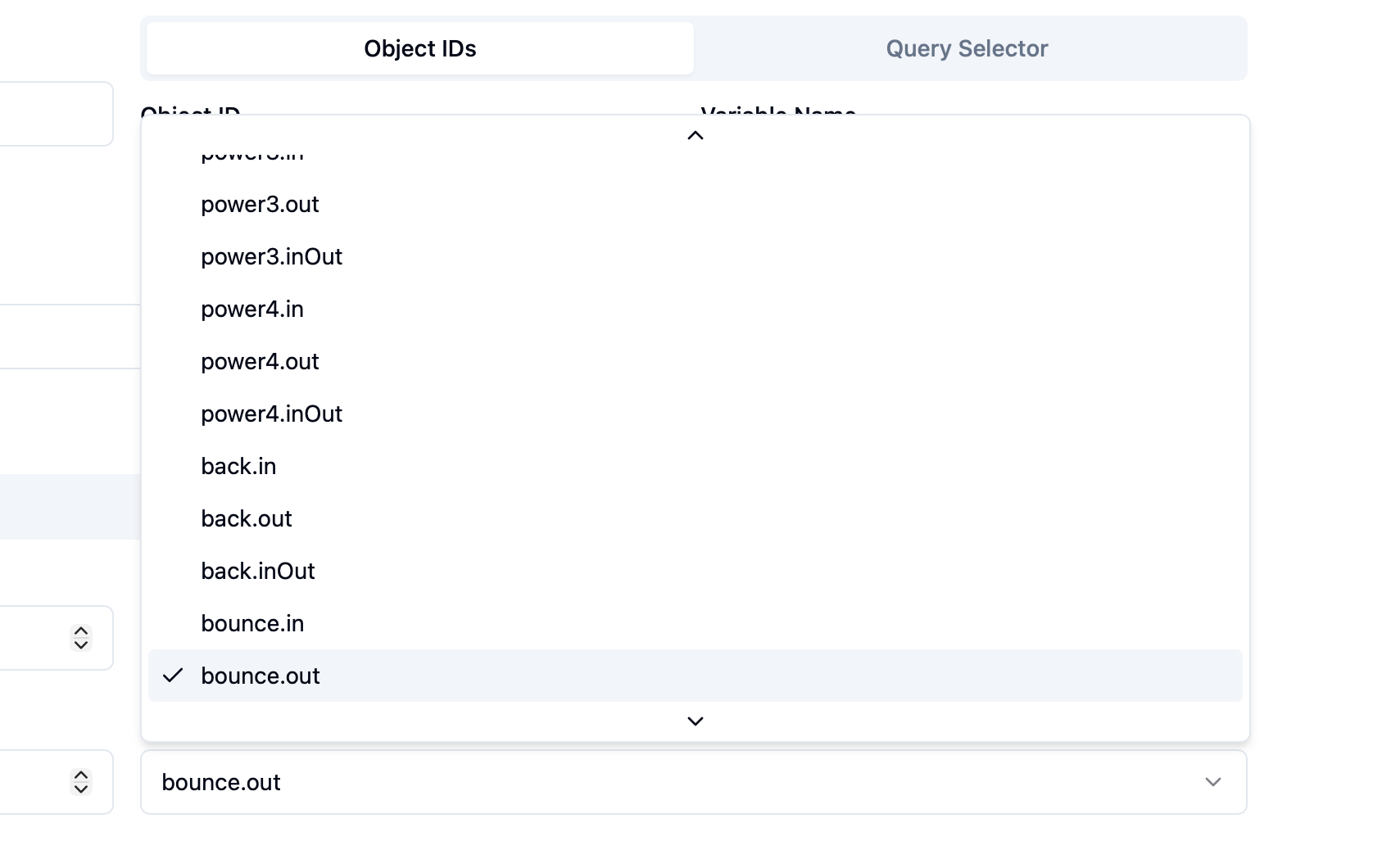
Adjust easing to get more dynamic animations
Save your animations for future use
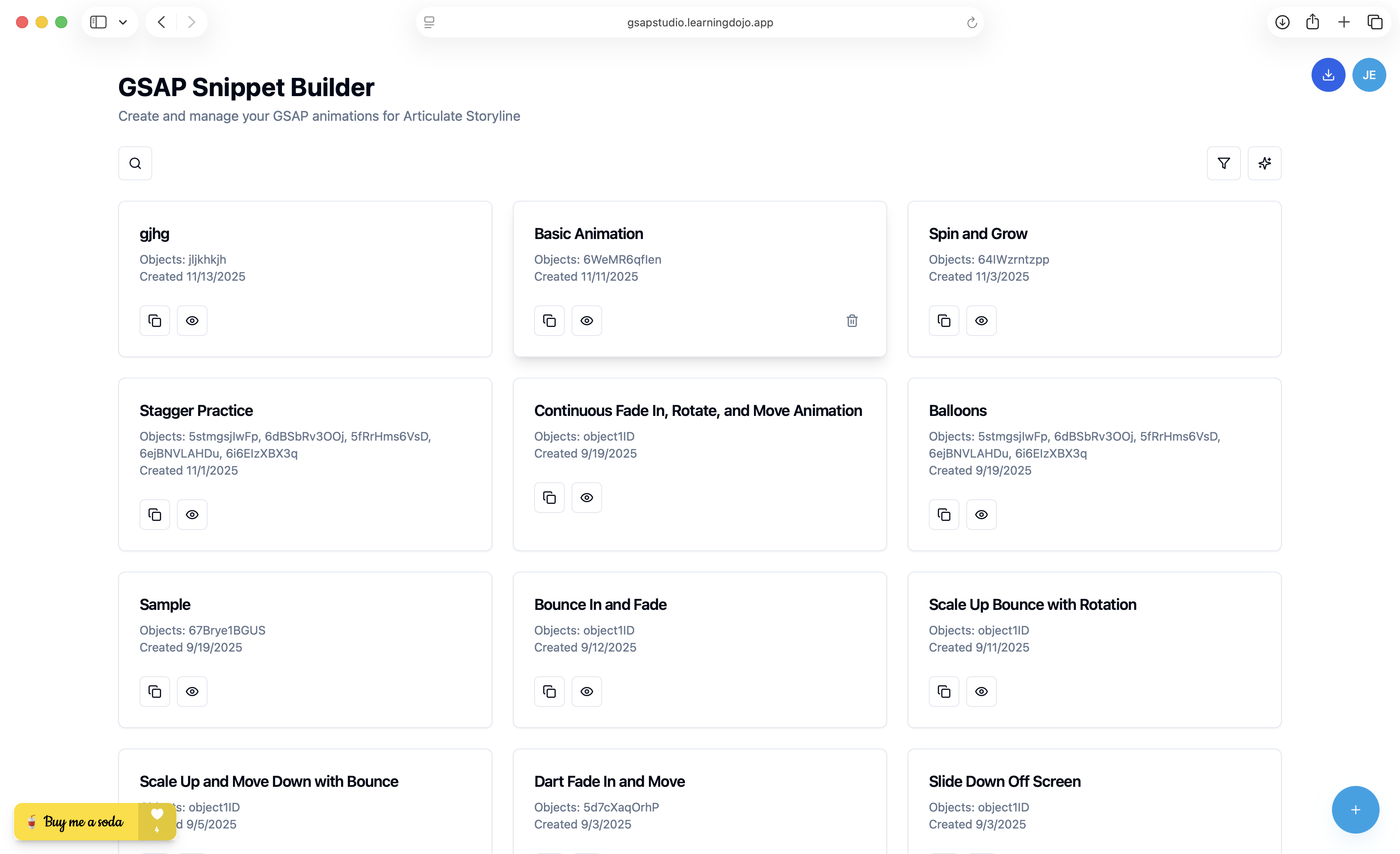
GSAP Animation Studio Interface

Create Custom Animations for Your Storyline Projects

Create complex animations visually and easily copy and paste the code into your Storyline projects.

Custom Animations

Easily create custom animations for Storyline just by adjusting properties.

AI Animation Generator

Not sure where to start? Use the AI Animation Generator to describe the type of animation you want and it adjusts the properties for you.

Save Custom Animations

Each animation you create is saved for future use. Copy and paste new object IDs into previous code.

Preview Custom Animations

Not sure what the animation will look like? Easily preview the animation in the tool before you add it to Storyline.

Adjust All Properties

Adjust position, scale, rotation, easing, timing and more. Fine-tune more animations than you can out of the box in Storyline.

Target Multiple Objects

Want the same animation to apply to several objects? Easily target and stagger the animation to several objects all at once.

Add Robust Easing Animations

One of the most powerful features of GSAP is the ability to add easing animations. This allows you to add a lot of complexity to your animations without having to write a lot of code.

  • Select your desired easing type
  • Adjust easing for start or end of the animation
  • Remove easing completely
Visual Animation Editor

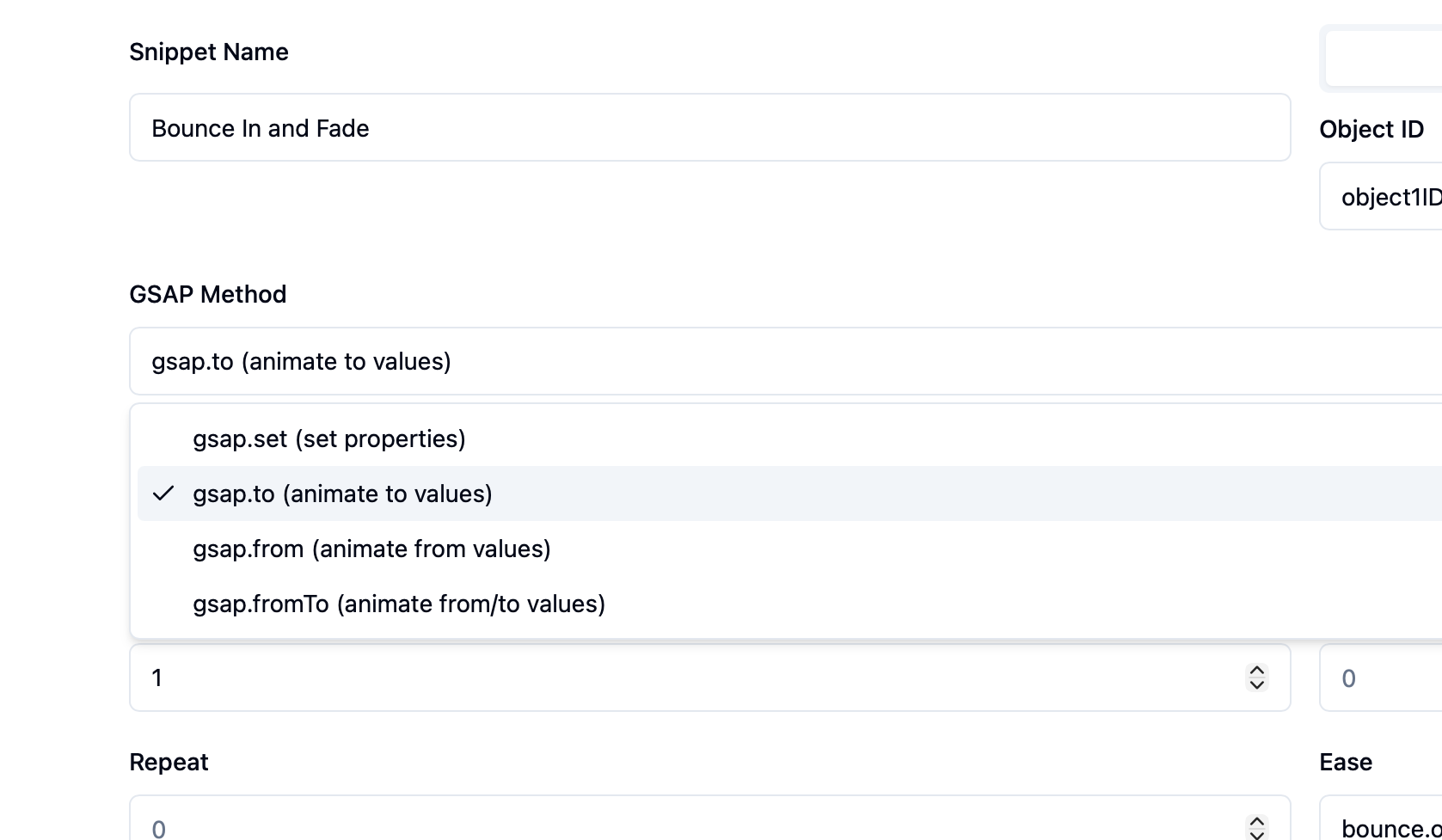
Adjust To, From or FromTo

You can easily adjust the to, from or fromTo properties to determine if the properties animate to, from or fromTo a specific value.

  • Animate to a specific value
  • Animate from a specific value
  • Animate both to and from a specific value
Code Export Feature

Three Simple Steps

Add custom animations in Storyline in 3 simple steps.

1

Copy Object ID

Find the object ID from Storyline and paste it into the snippet.

2

Adjust Properties

Adjust all the properties you want to change in the GSAP Animation Studio.

3

Copy & Paste Into Storyline

Copy the code produced in the GSAP Animation Studio and paste it into a Storyline trigger.

Ready to Create Amazing Animations?

Join thousands of eLearning developers creating stunning animations with GSAP Animation Studio. All for free!

Get Started Free